Monday, March 3, 2014

HashMap Vs HashTable?

HashMap vs Hashtable in Java
Difference between HashMap and Hashtable in Java question oftenly asked in core Java interviews to check whether candidate understand correct usage of collection classes and aware of alternative solutions available. Along with How HashMap internally works in Java and ArrayList vs Vector, this  is one of the oldest question from Collection framework in Java. Hashtable is a legacy Collection class and it's there in Java API from long time but it got refactored to implement Map interface in Java 4 and from there Hashtable became part of Java Collection framework. Hashtable vs HashMap in Java is so popular a question that it can top any list of Java Collection interview Question. You just can't afford not to prepare HashMap vs Hashtable before going to any Java programming interview. In this Java article we will not only see some important differences between HashMap and Hashtable but also some similarities between these two collection classes. Let's first see How different they are :

Difference between HashMap and Hashtable in Java

Both HashMap and Hashtable implements Map interface but there are some significant difference between them which is important to remember before deciding whether to use HashMap or Hashtable in Java. Some of them is thread-safety, synchronization and speed. here are those differences :
1.The HashMap class is roughly equivalent to Hashtable, except that it is non synchronized and permits nulls. (HashMap allows null values as key and value whereas Hashtable doesn't allow nulls).

2. One of the major differences between HashMap and Hashtable is that HashMap is non synchronized whereas Hashtable is synchronized, which means Hashtable is thread-safe and can be shared between multiple threads but HashMap can not be shared between multiple threads without proper synchronization. Java 5 introduces ConcurrentHashMap which is an alternative of Hashtable and provides better scalability than Hashtable in Java.
3. Another significant difference between HashMap vs Hashtable is that Iterator in the HashMap is  a fail-fast iterator  while the enumerator for the Hashtable is not and throw ConcurrentModificationException if any other Thread modifies the map structurally  by adding or removing any element except Iterator's own remove() method. But this is not a guaranteed behavior and will be done by JVM on best effort. This is also an important difference between Enumeration and Iterator in Java.

4. One more notable difference between Hashtable and HashMap is that because of thread-safety and synchronization Hashtable is much slower than HashMap if used in Single threaded environment. So if you don't need synchronization and HashMap is only used by one thread, it out perform Hashtable in Java.

5. HashMap does not guarantee that the order of the map will remain constant over time.


Note on Some Important Terms:
1)Synchronized means only one Thread can modify a hash table at one point of time. Basically, it means that any thread before performing an update on a Hashtable will have to acquire a lock on the object while others will wait for lock to be released.

2)Fail-safe is relevant from the context of iterators. If an Iterator or ListIterator has been created on a collection object and some other thread tries to modify the collection object "structurally", a concurrent modification exception will be thrown. It is possible for other threads though to invoke "set" method since it doesn't modify the collection "structurally". However, if prior to calling "set", the collection has been modified structurally, "IllegalArgumentException" will be thrown.

3)Structurally modification means deleting or inserting element which could effectively change the structure of map.

HashMap can be synchronized by

Map m = Collections.synchronizeMap(hashMap);

In Summary there are significant differences between Hashtable and HashMap in Java e.g. thread-safety and speed and based upon that only use Hashtable if you absolutely need thread-safety, if you are running Java 5 consider using ConcurrentHashMap in Java.


Read more: http://javarevisited.blogspot.com/2010/10/difference-between-hashmap-and.html#ixzz2usqMMOua

What is the use of class “java.lang.Class” ?

java.lang.Class is one of the most important class in java but oftenly overlooked by java developers.

Every time JVM creates an object, it also creates a java.lang.Class object that describes the type of the object. 

All instances of the same class share the same Class object and you can obtain the Class object by calling the getClass() method of the object. This method is inherited from java.lang.Object

Suppose you create two instances of class called Person e.g.

Person A = new Person();
Person B = new Person();

if(A.getClass() == B.getClass()){
System.out.println("A and B are instances of same class");
}else{
System.out.println("A and B are instances of different class");
}

In this case it will print "A and B are instances of same class" because they are both instance of clas Person.

We need forName() and newInstance() because many times it happens that we don’t know the name of the class to instantiate while writing code , we may get it from config files ,database , network or from any upstream.

this we called reflective way of creating object which is one of the most powerful feature of java and which makes way for many frameworks e.g. Spring ,Struts which uses java reflection.

Read more: http://javarevisited.blogspot.com/2010/10/what-is-use-of-class-javalangclass-why.html#ixzz2uspYWoBq

Enumeration Vs Iterator ?

What are differences between Enumeration and Iterator  This question is from early ages of interview , I have not seen this question on recent interviews but it was common during 2006-2007 , now days questions like implementation of HashMap, ConcurrentHashMap etc has take its place, nonetheless its very useful to know fundamental difference between Iterator and Enumeration. Some time its also asked as  Iterator vs Enumeration or Enumeration vs Iterator which is same. important point to note is that both Iterator and Enumeration provides way to traverse or navigate through entire collection in java

Between Enumeration and Iterator, Enumeration is older and its there from JDK1.0 while iterator was introduced later. Iterator can be used with Java arraylist,  java hashmap keyset  and with any other collection classes.


difference between iterator and enumeration in javaAnother similarity between Iterator and Enumeration in Java is that  functionality of Enumeration interface is duplicated by the Iterator interface.

Only major difference between Enumeration and iterator is Iterator has a remove() method while Enumeration doesn't. Enumeration acts as Read-only interface, because it has the methods only to traverse and fetch the objects, where as by using Iterator we can manipulate the objects like adding and removing the objects from collection e.g. Arraylist.

Also Iterator is more secure and safe as compared to Enumeration because it  does not allow other thread to modify the collection object while some thread is iterating over it and throws ConcurrentModificationException. This is by far most important fact for me for deciding between Iterator vs Enumeration in Java.

In Summary both Enumeration and Iterator will give successive elements, but Iterator is new and improved version where method names are shorter, and has new method called remove. Here is a short comparison:

Enumeration
hasMoreElement()
nextElement()
N/A


Iterator
hasNext()
next()
remove()

So Enumeration is used when ever we want to make Collection objects as Read-only.


Read more: http://javarevisited.blogspot.com/2010/10/what-is-difference-between-enumeration.html#ixzz2usoJ2BXO

autoboxing comparsion issues in Java 5?

Some of the JVM cache objects of some wrapper class e.g. Integer from -128 to 127 and return same object which if compare via “ ==” can return true but after this range this validity doesn’t work and to make it worse this behavior is JVM dependented so better avoid this kind of check and use equals() method.

e.g.
Integer i1 = 260; // please note, we are using Wrapper class, Integer
Integer i2 = 260;

if (i1 == i2) 
System.out.println("i1 and i2 is equal");
else 
System.out.println("i1 and i2 is not equal "); 

Here you will most probably get "i1 and i2 is not equal " at least in my machine.
because in this case, unboxing operation is not involved. The literal 260 is boxed into two different Integer objects ( again it varies between JVM to JVM) , and then those objects are compared with ==. The result is false, as the two objects are different instances, with different memory addresses. Because both sides of the == expression contain objects, no unboxing occurs.

Integer i1 = 100;
Integer i2 = 100;

if (i1 == i2) 
System.out.println("i1 and i2 is equal");
else 
System.out.println("i1 and i2 is not equal ");


Here, most probably you will get the text "i1 and i2 is equal".
Because int values from -127 to 127 are in a range which most JVM will like to cache so the VM actually uses the same object instance (and therefore memory address) for both i1 and i2. As a result, == returns a true result. 

this is very indeterministic and only shown by example since some JVM do optimization at certain integer value and try to return same object every time but its not guaranteed or written behavior.

So best is to avoid this kind of code in post java 1.5 and instead use equals() method to compare which is more deterministic.

Note: When using wrapper classes, like Integer, Long, etc always use equals() method to compare values.

Read more: http://javarevisited.blogspot.com/2010/10/what-is-problem-while-using-in.html#ixzz2usXUQYDm

Top Java books to read

These top Java programming books are very good Java books and I would say best of lot. Whenever a programmer starts learning Java first question he ask is "Which Java books should I refer for learning?", That itself says, how important Java books are for programmers. Despite so much free resource available in Java in terms of tutorials, tips, blogs and code example, Java books has there own place because of two reason :

1) They are written by programmers who are authority in subject
2)They cover the subject with more details and explanation.

These Java books are my personal favourites and whenever I get some time I prefer to read them, though I have read many of them already, I always learn something new when I read them again. They are kind of best Java books available today.

1) Head First Java

Best Java Programming Books Head FirstHead First Java is the best Java book for any programmer who are new in both programming and Java. The head first way of explanation is quite a phenomena and I really enjoyed whenever I read there books. I found them most interesting Java programming books for beginners but they are equally good for intermediate as well. Head first Java covers essential Java programming knowledge about class, object, Thread, Collection, language feature like Generics, Enum, variable arguments or autoboxing etc. They also has some advanced section on Swing, networking and Java IO which makes them complete package for Java beginners. This should be your first Java book if you are learning from scratch.


2) Head First Design Pattern
Head First Design Pattern is another top class Java book from Head First lab, I guess, this is so far there best title. When I started reading this book back in 2006, I didn't much about design patterns in Java , how they solve common problems, how to apply design pattern, what benefits they provide and all sort of basic things but after reading this Java book I benefited immensely. There is first chapter on Inheritance and Composition, which is simply fantastic and promote best practices by first introducing problem and then solution. They also have lots of bullet points, exercises, memory maps which help you to understand design patterns much quickly. If you want to learn core Java design patterns and Object oriented design principle, this is the first Java book you should refer. Head First design pattern is written by Kathy Sierra and team.


3) Effective Java
Effective Java is one of the best or top Java books in my record and most enjoyable as well. I have high regards for Joshua Bloch (writer of this book) for his contribution in Java collection framework and Java concurrency package. Effective Java is best for seasoned or experienced programmer who are well versed in Java programming and want to sharp there skill by following programming best practices, Java best practices and eager to listen from someone who is contributed in Java development kit. Effective Java as book scores high on quality, content and way of explanation. Reading this Java book is pleasant experience. Another important point of Effective Java is Item based structure which breaks whole book in small items and every Item is complete in itself, so you can read this book while travelling or short duration as well. On contents Effective Java is collection of Java programming best practices ranging from static factories, serialization,  equals and hashcode to generics, enum and varargs and reflection. This Java programming book almost cover every aspect of Java in slightly different way then you are used to.  


4) Concurrency Practice in Java
Java Concurrency in Practice is another classic from Joshua Bloch, Doug Lea and team. Probably the best Java book in Concurrency and multi-threading and one of the must read for core Java developers. Strength of Concurrency Practice in Java are
1) This book is very detailed and capture minor details of multi-threading and concurrency as well.
2) Focus, instead of focusing on core Java classes this book focus on concurrency issues and problems like deadlock, starvation, thread-safety, race conditions and then present ways to solve them using Java concurrency classes. This book is excellent resource to learn and master Java concurrency package and classes  like CountDownLatch, CyclicBarrier, BlockingQueue or Semaphore. This is the biggest reason I like to read this Java book and read again and again.
3) One more strong point of Concurrency practice in Java is No nonsense Examples, examples in this book are clear, concise and intelligent
4) Explanation : book is good on explaining what is wrong and why its wrong and how to make it right which is essential for Java book to succeed.


5) Java Generics and Collections
Java Generics and Collection by Naftalin and Philip Wadler from O'Reilly is another great book on Java, which I initially forgot to include in my list, but including it now as requested by many readers. I personally like this book because of its content of Generics and Collections, which is core areas of Java programming language. Strong knowledge of  Java Collections and Generics are expected from any experienced programmer and this books help on that area. It explains each of Collection interface e.g. Set, List, Map, Queue and there implementation and compares how well they perform in different situation. I really loved there comparison chart at the end of each chapter.


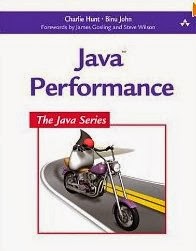
6)Java performance from Binu John
Another good Java book which is my personal favourite. As we are moving gradually started from beginners level to intermediate and senior level. Java performance Book is all about performance monitoring, profiling and tools used for Java performance monitoring. This is another, must read Java book, if you are serious about performance in Java programming language. This is not a usual programming book, Instead It provides details about JVM, Garbage Collection, Java heap monitoring and profiling application. I lover there chapter on JVM overview and its must read to learn about JVM in simple language. Just remember this Java book is advanced in nature and expect that reader has experience in Java. Beginners and intermediate programmer can also benefit from this book but Its good to have some Java experience on your belt before reading this book. So far best Java book on performance monitoring.


7) Java Puzzlers
Java Puzzlers is another worth reading Java book from Joshua Bloch, this time with Neal Gafter. This book is about corner cases and pitfalls in Java programming language. Java is more safe and secure than C++ and JVM does good job to free programmer from error-prone memory allocation and deallocation, but still there Java has corner-cases which can surprise even experienced Java programmer. This Java books presents such Java pitfalls and explains them in detail. A good Java book if you love puzzles, You can even include many of these in core Java interviews to check how deep there Java knowledge is. I don't rate it as high as Effective Java and Concurrency Practice in Java but still you can give it a go. In order to get most of this Java book, tries to solve the puzzles by yourself and then look into explanations to make your knowledge more concrete.


8) Head First Object Oriented Analysis and Design
Another good book on Java programming and design principles from Head First series. Head first Object Oriented Analysis and design book can be read in conjunction with Head First Design patterns. This book focus on Object oriented design principles like favour composition over inheritance, programming for interface than implementation, DRY etc. One part of learning Java is writing good code and following best practices and this book is great in educating programmers about them. knowledge gained from this book is applicable to many object oriented programming language and will overall improve your understanding of code and design principles.


9) Thinking in Java
Thinking in Java book is written by Bruce Eckel who is also author of Thinking in C++ and he uses his unique style to teach Java concept. Many would agree that this is one of the best Java book and strength of this books are there to the point and intelligent examples. This is one of the complete book in Java and can be used as reference as well. There is a chapter on Java memory mapped IOfrom Thinking in Java which is my favourite. I would say this is another Java book which demands space in Java programmer's shelf and must read Java book for beginners, especially if you don't like Head First teaching style and rather need a beginners Java book with plain old example style, Thinking in Java is a good choice. It is detailed, matured and frequently updated.


This was my list of Top Java programming books and I would say best of lot. I have read all the books, some of them I am still reading and couple of them like Effective Java and Head First series, I have read couple of times. Many programmer ask me about which books they start, which Java book they read now. I hope you will find some good Java books in this collection.

Read more: http://javarevisited.blogspot.com/2013/01/top-5-java-programming-books-best-good.html#ixzz2usGQHAnL

Why String is Immutable in Java

This is one of the most popular String interview question in Java.

Possible answers could be this:

1) Imagine StringPool facility without making string immutable , its not possible at all because in case of string pool one string object/literal e.g. "Test" has referenced by many reference variables , so if any one of them change the value others will be automatically gets affected i.e. lets say

String A = "Test"
String B = "Test" 

Now String B called "Test".toUpperCase() which change the same object into "TEST", so A will also be "TEST" which is not desirable.

2)String has been widely used as parameter for many Java classes e.g. for opening network connection, you can pass hostname and port number as string , you can pass database URL as string for opening database connection, you can open any file in Java by passing name of file as argument to File I/O classes.

In case, if String is not immutable, this would lead serious security threat , I mean some one can access to any file for which he has authorization, and then can change the file name either deliberately or accidentally and gain access of those file. Because of immutability, you don't need to worry about those kind of threats. This reason also gel with, Why String is final in Java, by making java.lang.String final, Java designer ensured that no one overrides any behavior of String class.

3)Since String is immutable it can safely shared between many threads ,which is very important for multithreaded programming and to avoid any synchronization issues in Java, Immutability also makes String instance thread-safe in Java, means you don't need to synchronize String operation externally. Another important point to note about String is memory leak caused by SubString, which is not a thread related issues but something to be aware of.

4) Another reason of Why String is immutable in Java is to allow String to cache its hashcode , being immutable String in Java caches its hashcode, and do not calculate every time we call hashcode method of String, which makes it very fast as hashmap key to be used in hashmap in Java.  This one is also suggested by  Jaroslav Sedlacek in comments below. In short because String is immutable, no one can change its contents once created which guarantees hashCode of String to be same on multiple invocation.

5) Another good reason of Why String is immutable in Java suggested by Dan Bergh Johnsson on comments is: The absolutely most important reason that String is immutable is that it is used by the class loading mechanism, and thus have profound and fundamental security aspects. Had String been mutable, a request to load "java.io.Writer" could have been changed to load "mil.vogoon.DiskErasingWriter"


Security and String pool being primary reason of making String immutable, I believe there could be some more very convincing reasons as well, Please post those reasons as comments and I will include those on this post. By the way, above reason holds good to answer, another Java interview questions "Why String is final in Java".  Also to be immutable you have to be final, so that your subclass doesn't break immutability.  what do you guys think ?

Read more: http://javarevisited.blogspot.com/2010/10/why-string-is-immutable-in-java.html#ixzz2usDNHxBJ

Wednesday, January 29, 2014

Reading/Writing Binary Data

Files, such as images, are not made up of characters but of bytes. A byte is a fundamental storage unit in a computer— a number consisting of eight binary digits.

The Java library has a different set of classes, called streams, for working with binary

files.

Here is a simple example of copying binary data from a web site to a file.

You use an InputStream to read binary data.

URL imageLocation = new URL("http://horstmann.com/java4everyone/duke.gif");
InputStream in = imageLocation.openStream();

To Write binary data to a file, use FileOutputStream

FileOutputStream out = new FileOutputStream("duke.gif");

The read() method of an input stream reads a single byte and returns –1 when no further input is available. 

The write() method of an output stream writes a single byte.

boolean done = false;
while (!done)
{
             int input = in.read(); // -1 or a byte between 0 and 255
             if (input == -1) 
             { 
                     done = true; 
             }
            else 
            { 
                    out.write(input); 
            }

}